FlixFox Pro

Download the latest FlixFox APK version for Android, PC & Firestick. Enjoy free movies, live TV, and web series with HD streaming and easy setup. Get it today!
FlixFox
FlixFox is a popular app for streaming movies and TV shows online. Ever wondered how you can watch your favorite content without paying high subscription fees? FlixFox App provides instant access to thousands of trending titles on your device.
The application offers a user-friendly layout for effortless content discovery. Smooth navigation helps users find action, drama, and comedy titles quickly. High-quality video streams ensure an enjoyable viewing experience at home or on the go. Fast loading speeds reduce buffering and eliminate annoying playback interruptions.
FlixFox updates its library regularly with fresh releases and popular shows. You can build customized watchlists to organize your favorite movies. Smart search filters allow quick browsing across multiple genres and categories. Download FlixFox today to enjoy non-stop entertainment anytime you want.
What Is FlixFox APP?
FlixFox APK is an Android application designed for media streaming. It functions as an on-demand video platform and live TV aggregator, bringing various media channels and video titles into a single interface.
The main purpose of the app is to give Android users a flexible way to stream content directly from their mobile phones, tablets, or television boxes. However, because FlixFox is distributed as an independent Android Package (APK) file rather than through official application stores, users must install it manually through sideloading. Before installing, it is helpful to understand how the app operates, what device permissions it requests, and how to evaluate third-party installation files safely.
Features of FlixFox APK
Live TV and Navigation
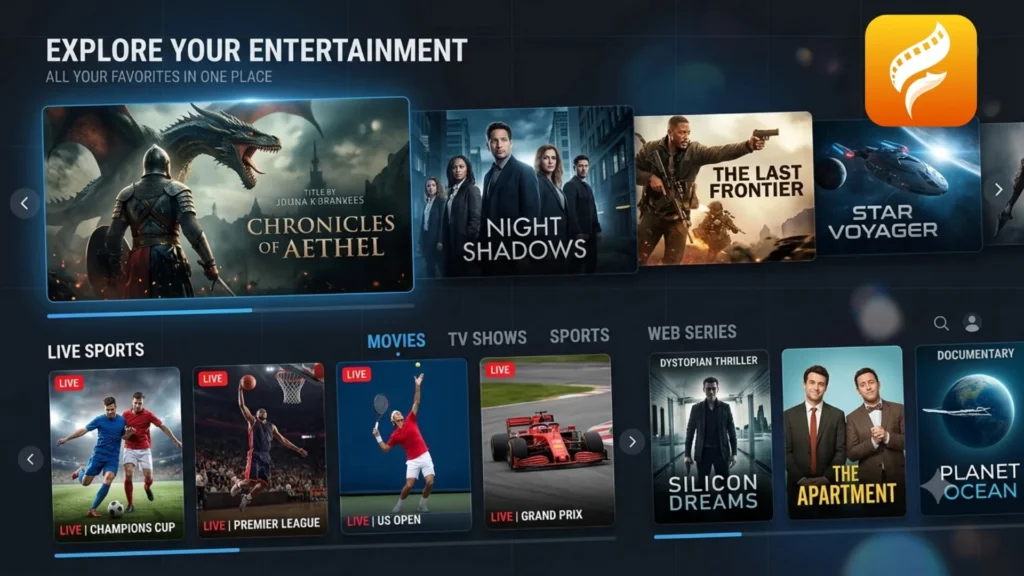
FlixFox App makes switching between live television channels and on-demand streaming simple. The application features a clean, categorized menu that organizes content neatly. Users can quickly jump from live sports broadcasts to top-rated series. This streamlined layout ensures effortless navigation across all available media options.
Movies and On-Demand Content
Finding popular movies and episodic television series is smooth with FlixFox App Download. The platform hosts a massive media catalog covering various global and regional genres. Whether you enjoy high-octane action, dramatic stories, or light comedy, FlixFox delivers instant access to entertainment for every mood.
Video Playback and Streaming Quality
The built-in media player inside FlixFox APK Download automatically delivers optimal video performance. It dynamically adjusts stream resolutions from standard definition to crisp 1080p full HD based on your internet connection. This smart bandwidth management reduces buffering, providing uninterrupted playback during your favorite shows.
Search and Content Discovery
Locating specific titles on FlixFox App Free Download takes only a few seconds. Users can utilize the smart search bar to find media by entering keywords, titles, or genres. Specialized category filters help narrow down choices, allowing you to discover new movies and trending series without hassle.
Device Compatibility
FlixFox TV is engineered to function smoothly across a broad spectrum of Android hardware. The interface scales cleanly on small smartphone screens, medium-sized tablets, and Android TV setups. Smooth navigation via touchscreen taps or remote controls ensures a reliable viewing experience on any display.
Data Usage and Playback Settings
Streaming on mobile data becomes stress-free when using FlixFox. The application allows viewers to manually select lower video playback resolutions inside the player. Lowering the resolution conserves bandwidth, making FlixFox Mod APK ideal for users managing capped cellular data plans or slower network connections.
Subtitles and Audio Options
Language barriers are easily bridged through the media settings in FlixFox Premium APK. The app offers integrated subtitle support for multiple titles across its library. Depending on the source file, users can activate subtitles or switch to alternative audio tracks for an enhanced personalized experience.
Parental Controls
Safety remains a key priority within the settings menu of FlixFox Free Download. Parents can easily configure content filters to block mature media from younger audience members. Restricting access to sensitive categories ensures that children enjoy age-appropriate streaming options while exploring the application independently.
Sports and Live TV Availability
Sports fans can access live matches and real-time news broadcasts directly via FlixFox. Stream reliability depends on active broadcast feeds, ensuring real-time coverage when sources are active. FlixFox App Update keeps you connected to live athletic tournaments and breaking news worldwide.
Platforms and Compatibility
| Platform | Native Support | Recommended Method |
| Android Phones & Tablets | Yes (Native APK) | Direct APK Sideload |
| Android TV / Google TV | Yes (Native APK) | Sideload via Downloader App or USB |
| Amazon Fire TV Stick | Yes (Sideloaded) | Sideload via Downloader App |
| Windows PC / macOS | No (Requires Emulation) | Android Emulator (e.g., BlueStacks) |
Android Phones and Tablets
FlixFox App is built natively for Android operating systems running Android 6.0 or higher. Installation on handheld devices simply requires downloading the standard APK file and completing the installation prompt.
Android TV
For smart TVs powered by Android TV or Google TV, FlixFox APK offers an interface compatible with remote control navigation. Users can sideload the APK file using TV file managers, web browsers, or transfer tools.
Amazon Fire TV and Fire TV Stick
Fire OS is built on the Android platform, which allows Fire TV Stick devices to run the FlixFox APK. Because the Amazon Appstore does not list third-party APKs, users sideload the file using utility applications like Downloader.
PC: Windows and macOS
There is no native executable installer (such as .exe or .dmg) for Windows or macOS computers. Running FlixFox on a computer requires an Android emulator (such as BlueStacks or NoxPlayer). The emulator creates a virtual Android system on the computer, inside which the APK can be installed.
How to Download and Install FlixFox APK on Android
Installing third-party APK files requires enabling manual installation settings on your Android device.
- Enable Unknown Sources: Open Settings on your Android device, go to Security or Privacy, and toggle on Install Unknown Apps for your chosen web browser or file manager.
- Download the APK File: Download the verified FlixFox APK file to your device’s internal storage using your mobile browser.
- Locate the File: Open your device’s File Manager or view the Downloads folder in your browser to locate the .apk file.
- Initiate Installation: Tap on the downloaded APK file. A prompt will appear asking for confirmation; tap Install.
- Open and Verify: Once the installation finishes, launch the application from your app drawer. You may reset the “Unknown Sources” permission back to off for safety.

How to Download and Install FlixFox on PC
Because FlixFox does not offer a native desktop application, PC users must use desktop emulation software.
- Install an Android Emulator: Download and install a reliable Android emulator on your PC or Mac.
- Open the Emulator Environment: Launch the emulator program once setup is complete.
- Import the APK File: Download the FlixFox APK file on your computer. Drag and drop the .apk file directly into the emulator window, or use the emulator’s built-in “Install APK” option.
- Launch the App: Once processing completes, click the FlixFox icon within the emulator to open and run the app using your keyboard and mouse.
Latest FlixFox Version and Updates
Keeping third-party applications updated helps maintain system compatibility and stability.
- Checking Version Details: You can check the active version number within the app’s settings menu or by inspecting the app details in your Android system settings.
- Updating the App: When a newer APK version is available, you can usually install the updated file directly over the existing app without deleting your current configuration.
- Avoiding Suspicious Updates: Avoid downloading update packages from pop-up advertisements inside web browsers. Always cross-check file details before installing an update to prevent secondary malware risks.
Trust, Safety, Legality, and Availability
When evaluating third-party APKs like FlixFox, several operational and security factors should be considered:
- File Permissions and Safety: Third-party APKs do not go through automatic security filtering from standard app stores. Check requested device permissions during installation and avoid granting unnecessary access to contacts, text messages, or camera hardware.
- Copyright and Licensing: The legality of media streams depends on distribution licenses and regional copyright laws. Users should be aware that unauthorized distribution of copyrighted content may violate digital privacy and intellectual property regulations.
- Regional Availability: Content accessibility inside the app can vary by geographic region, network provider restrictions, or remote server availability.
Common FlixFox Problems and Fixes
Video Buffering or Freezing
- Likely Cause: Weak Wi-Fi signals, heavy background data usage, or congested streaming servers.
- Fix: Lower the playback resolution inside the player settings, close background applications, or test your internet connection speed.
App Crashing or Failing to Open
- Likely Cause: Outdated app version, corrupted temporary cache files, or low system RAM.
- Fix: Clear the app cache by going to Settings > Apps > FlixFox > Clear Cache, or restart your Android device.
Server or Playback Errors
- Likely Cause: Inactive stream links or temporary server maintenance.
- Fix: Select an alternate streaming link for the title or retry playback after some time.
Black Screen or Audio Problems
- Likely Cause: Hardware decoding incompatibilities or audio format mismatches.
- Fix: Toggle hardware acceleration options in the playback settings or adjust your device’s audio output settings.
Subtitle Synchronization Issues
- Likely Cause: Frame-rate mismatches between the active subtitle file and the media stream.
- Fix: Use the subtitle offset controls in the media player to adjust timing forward or backward by a few seconds.
APK Installation Failures
- Likely Cause: Sideloading permissions disabled, corrupted file downloads, or insufficient storage space.
- Fix: Ensure “Install Unknown Apps” is enabled for your file installer, delete unused files to free up storage space, and re-download the APK.
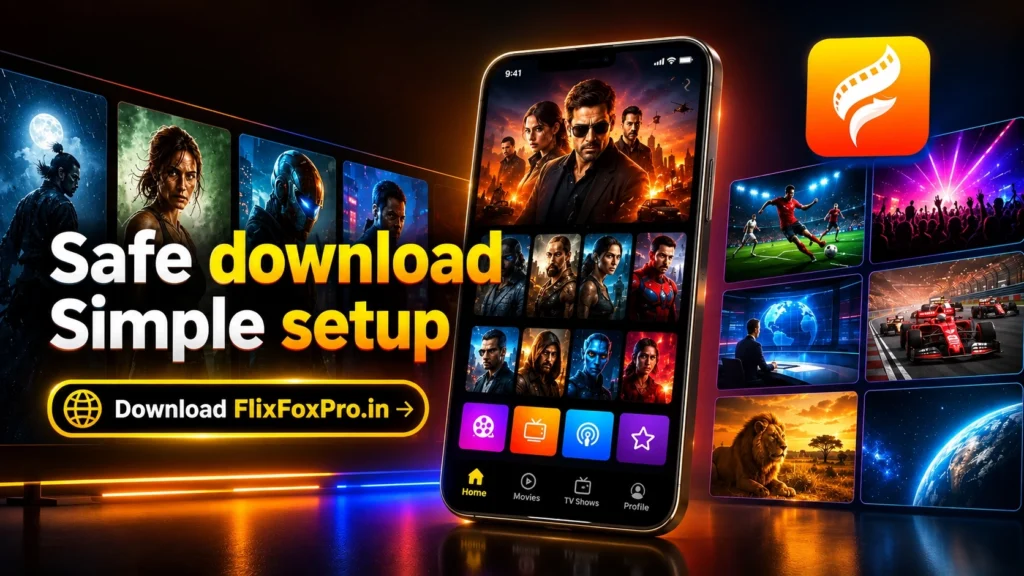
Pros and Cons of Flixes
✓ Pros
- User-Friendly: Simple layout for touchscreens, tablets, and smart TV remotes.
- Adaptive Video Quality: Adjusts video quality according to internet speed.
- Vast Content Library: Offers movies, TV series, and regional shows.
- Live TV Channels: Provides live sports, news, and entertainment streams.
- Smart Search Tools: Find content by title, keyword, or genre.
- Data Saver Mode: Manual resolution controls can help reduce data usage.
- Subtitles & Audio: Supports subtitles and multiple audio languages.
- Parental Controls: Settings may help filter mature content.
- Wide Compatibility: Supports Android phones, tablets, and TV boxes.
- Custom Watchlist: Bookmark favorite movies and series for later.
✕ Cons
- Manual Installation: May require installing an APK outside Google Play.
- Server Dependency: Streaming quality depends on third-party servers.
- No PC Apps: No native Windows or macOS app may be available.
- Ad-Supported: Pop-up or playback ads may interrupt viewing.
- Security Risks: Unverified APK files may contain malware.
- Inconsistent Live Streams: Live TV and sports streams may go offline unexpectedly.
FlixFox APP Best Alternatives
Indian users looking for verified, official, and secure streaming options can consider several established platforms:
- Disney+ Hotstar: Offers licensed movies, TV series, live sports coverage (including cricket), and regional language content across multiple connected devices.
- JioCinema: Provides on-demand television shows, movies, and live sports broadcasting with official streaming rights.
- YouTube: Offers vast libraries of free, user-submitted, and official video content, including movies and news channels, supported by licensors.
- Amazon Prime Video: Features localized movies, regional series, and licensed international titles under transparent subscription models.
FlixFox supports customized watchlists to organize your favorite television shows quickly. Smart search features help viewers find exciting new media content instantly. FlixFox remains a top choice for free online streaming today. Download the application now to start enjoying non-stop digital entertainment.
Frequently Asked Questions
What is FlixFox?
How to install the FlixFox App on Android devices?
Is FlixFox App Download safe for mobile devices?
Where can users complete the FlixFox APK Download process?
Is the FlixFox App Free Download available without hidden fees?
Why do some users prefer using FlixFox Old Version?
How to fix installation errors in FlixFox Old Version APK?
Does FlixFox HD Video Player support high-resolution streaming?
Which languages are available for watching FlixFox Movies?
How can users run FlixFox for PC smoothly?
Conclusion
FlixFox offers an impressive streaming experience for entertainment lovers worldwide. Users can access thousands of trending movies and live TV channels easily. The intuitive layout makes content discovery fast and effortless for everyone. FlixFox provides smooth video playback across multiple connected mobile devices. High-quality video streams reduce buffering and elevate your daily entertainment experience.
FlixFox supports customized watchlists to organize your favorite television shows quickly. Smart search features help viewers find exciting new media content instantly. FlixFox remains a top choice for free online streaming today. Download the application now to start enjoying non-stop digital entertainment.Conclusion
FlixFox offers an impressive streaming experience for entertainment lovers worldwide. Users can access thousands of trending movies and live TV channels easily. The intuitive layout makes content discovery fast and effortless for everyone. FlixFox provides smooth video playback across multiple connected mobile devices. High-quality video streams reduce buffering and elevate your daily entertainment experience.